
 |
 |
 |
 |
 |
 |
 |
 |
| - GPU - | - CPU - |
- SSD - |
- Cases - | - PSU - |
- Coolers - | - Memory - | - Audio - |
Since 2007 PCWizKid has been creating easy to understand video reviews of PC Hardware and Components. These include benchmarks, comparisons and "how to" installation videos to tweak and setup your PC for best performance. If your looking to upgrade or build a new PC take a look at these hassle free videos below.
Looking for a specific part? We have PC Hardware reviews for every major component, so sit back, relax and enjoy the show!


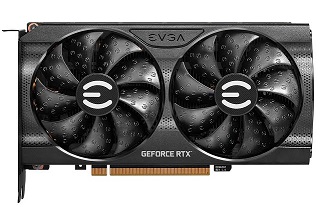



 PCWizKid's Tech Talk is devoted to all those looking to develop a better understanding of software and or hardware, specially for the PC. PCWizKid has been awarded by Microsoft with the Microsoft® MVP Award! This award is given to exceptional technical community leaders who actively share their high quality, real world expertise with others. As a Microsoft Windows Insider MVP, PCWizKid is part of a select group of people around the world who have been identified and recognized as a community leader.
If you would like PCWizkid to review your latest Gaming PC Hardware / Gadget or Peripherals please Contact our Media Relations Department to arrange us to review your product in a video review.
Would you like PCWizKid to review your product? Click here to learn how.
Some FAQ's on PCWizKid are here on the "About" PCWizKid page. To learn more about our privacy policy and copyright click here.